Captions for Instagram
AI captions, auto subtitles for Reels, and Reel analytics
Captions for Instagram is a free Android app that transcribes speech into styled subtitles burned directly into your video, writes hooks, captions and hashtags from a single upload, and scores a Reel out of 100 for readiness before you publish it.
- Rating
- ★ 4.7 (103 reviews)
- Downloads
- 10,000+
- Platform
- Android
- Price
- Free to install
- Rated
- Everyone
It exists because posting one short video is really four jobs, and most people do them in four different apps. Write the words. Get them on the footage. Check whether it is any good. Publish.
Everything below is one app because that is one sitting. The transcript that made your subtitles is still there when you want a caption from it, and the readiness check happens before you leave rather than after you have already posted.
What it does
Subtitle Studio — word-level timing, burned in
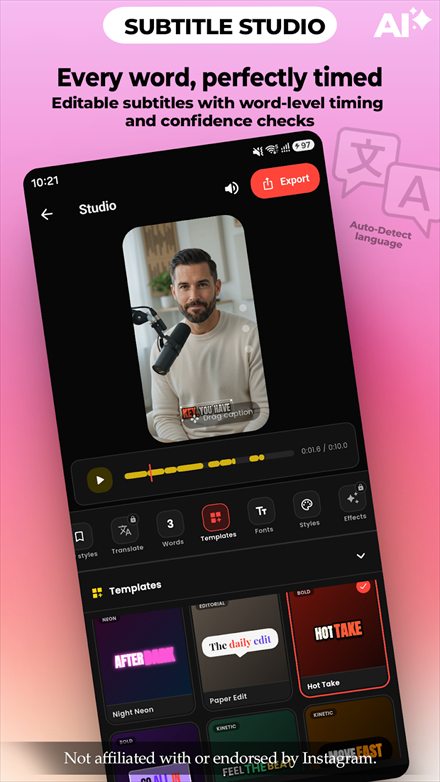
Transcribes what was actually said, with word-level timing and a confidence check on each word so you can see what the AI was unsure about instead of trusting it blindly. Language is auto-detected, and subtitles can be translated. Style across 57 fonts and templates, then render into the video file itself — captions in a platform's own layer vanish when a clip is downloaded or reposted, burned-in captions travel with it.
Post Pack — one upload, a whole post
Upload the clip once and get hooks, captions, hashtags and keywords shaped around your goal, each section regenerable on its own so you can keep the caption and retry the hook. It scores the result and says why: clear hook, natural voice, focused call to action.
Reel Analytics — a readiness score, before you post
Scores the Reel out of 100 and breaks it down: hook, retention, mute and call to action. It reports duration, timed words, words per second, how much of the transcript came back low-confidence, and an estimated attention curve. The mute score is the one people underrate — it reflects how the clip reads with the sound off, which is how a large share of viewers watch.
Caption Studio and Caption Library
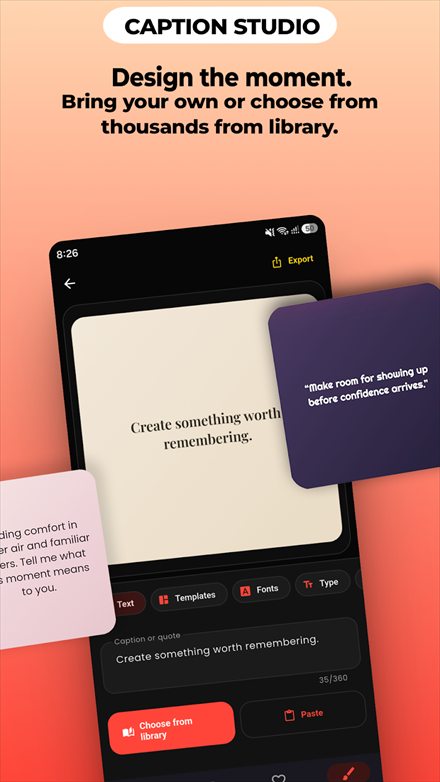
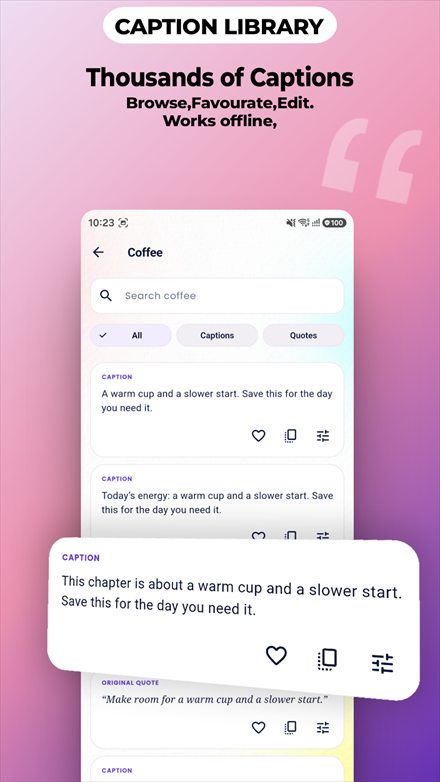
Design shareable caption images from backgrounds or your own photos, for the posts that are words rather than footage. The library holds thousands of captions and quotes, searchable by topic, and works offline — so you are not staring at an empty box waiting for inspiration.
Who it's for
- People who post most days and feel the four-app shuffle every time.
- Creators whose clips get reposted, where subtitles need to survive leaving the platform.
- Anyone whose reach depends on the first two seconds and who wants to check them before publishing.
Questions
How do I add subtitles to an Instagram Reel?
Import the clip into the subtitle studio and it transcribes the speech automatically. Style the result — 57 fonts are available — then render it. The captions are burned into the exported video, so they stay visible wherever the clip is shared.
Does it work with YouTube Shorts as well as Instagram?
Yes. It works with Instagram Reels, YouTube Shorts, photos and ordinary video, because it produces a normal video file and normal text. Nothing about the output is tied to one platform.
Are the subtitles part of the video file?
Yes, they are rendered into the footage rather than added as a separate caption track. That is deliberate: platform caption layers disappear when a clip is downloaded or reposted, and burned-in text does not.
Is Captions for Instagram free?
It is free to install from Google Play. It contains ads and offers optional in-app purchases.
Is this app made by Instagram?
No. It is built by Dofo Labs and is not affiliated with, endorsed by, or sponsored by Instagram or Meta. It is an independent tool that produces captions and video you then post yourself.
What does the post-readiness score actually measure?
It looks at the signals that tend to decide whether a short video holds attention, and reports where viewers are likely to drop off, so you can cut or re-order before publishing rather than guessing afterwards.
Do I have to connect my Instagram account?
No. The app never asks for a social login and cannot post on your behalf. You make the video and the captions here, export them, and post them yourself.
Is this a full video editor?
No, and deliberately so. It does one job — getting words onto a clip and a caption under it — without the learning curve of a timeline editor. If you need to cut, colour grade and mix audio, use an editor and bring the result here for captions.
Captions for Instagram is an independent app built by Dofo Labs. It is not affiliated with, endorsed by, or sponsored by Instagram or Meta Platforms, Inc. Instagram is a trademark of Meta Platforms, Inc.